Website Localization: What It Is, Benefits, and How to Get Started

Storyblok is the first headless CMS that works for developers & marketers alike.
Quick overview
- Website localization adapts language, visuals, payments, and UX for a specific market, it's not just translated text.
- Localized experiences measurably increase engagement, trust, and conversion in international markets; language-only translation gets people to the site, localization is what gets them to buy.
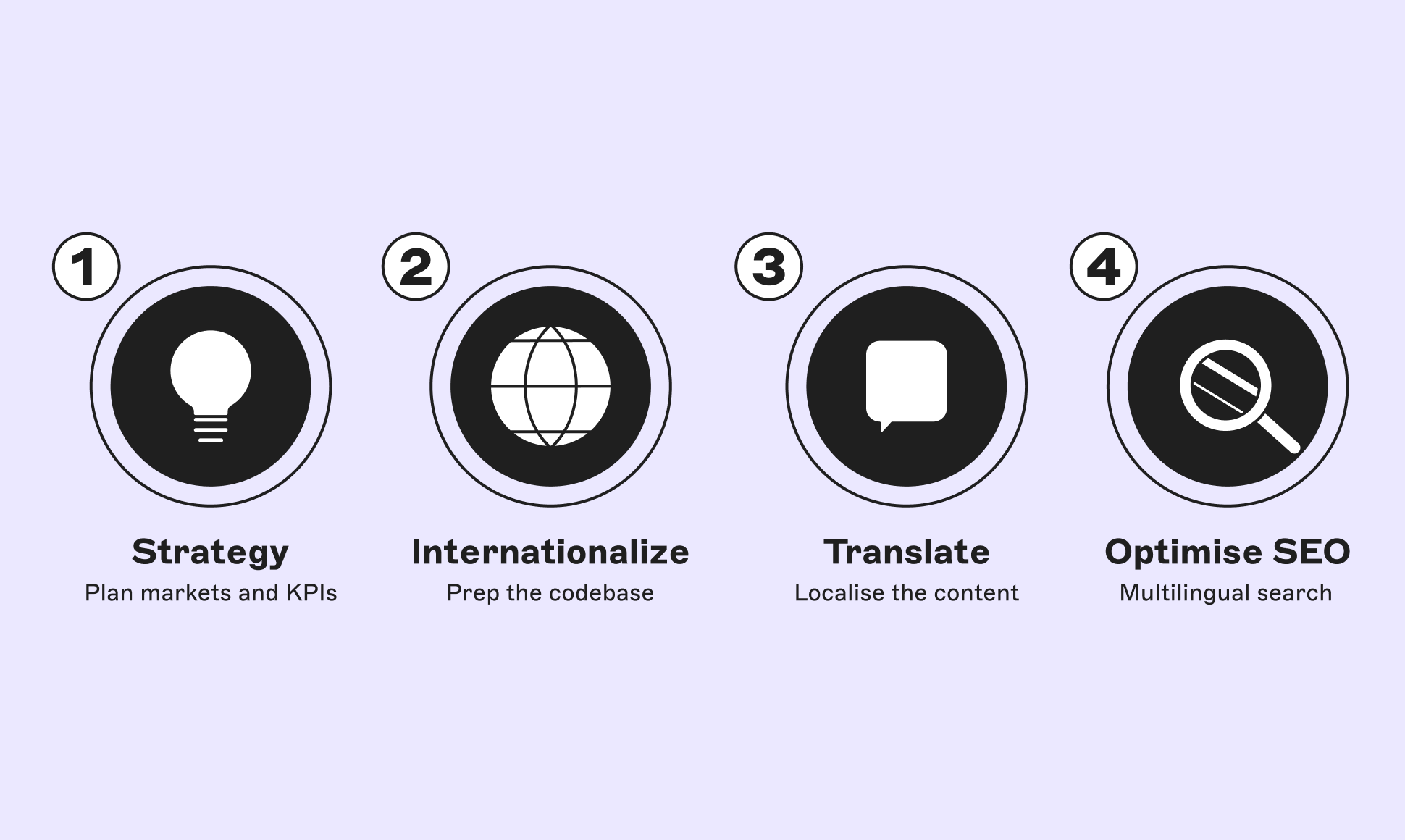
- The process breaks into four stages: build a strategy→internationalize the codebase→translate the content→optimize for multilingual SEO.
- A typical marketing site can be localized into a new language in two to four weeks; e-commerce platforms and web apps take longer due to product catalogs and checkout logic.
- Storyblok's field-level, folder-level, and space-level translation options, paired with Lokalise, let you manage this without duplicating your content structure per language.
Jump straight to what you need
- What is website localization?
- Localization vs. translation vs. internationalization
- Benefits of website localization
- How to localize your website: a four-step process
- Using Storyblok and Lokalise for website localization
- FAQs
“If you talk to a man in a language he understands, that goes to his head. If you talk to him in his language, that goes to his heart.” ~ a popular (mis)quote from Nelson Mandela
Speaking your customers' language does more than get a message across; it builds trust. Only about 5% (opens in a new window) of the global population are native English speakers, and the large majority of the world speaks no English at all. If your store's content only speaks English, you're closing the door on most of the world before a visitor even reaches your homepage.
Website localization is how you open that door. This guide covers what it actually involves, why it pays off, and the concrete steps to do it, especially when AI-assisted translation and rising accessibility expectations have changed how fast and how well teams can localize.
What is website localization?
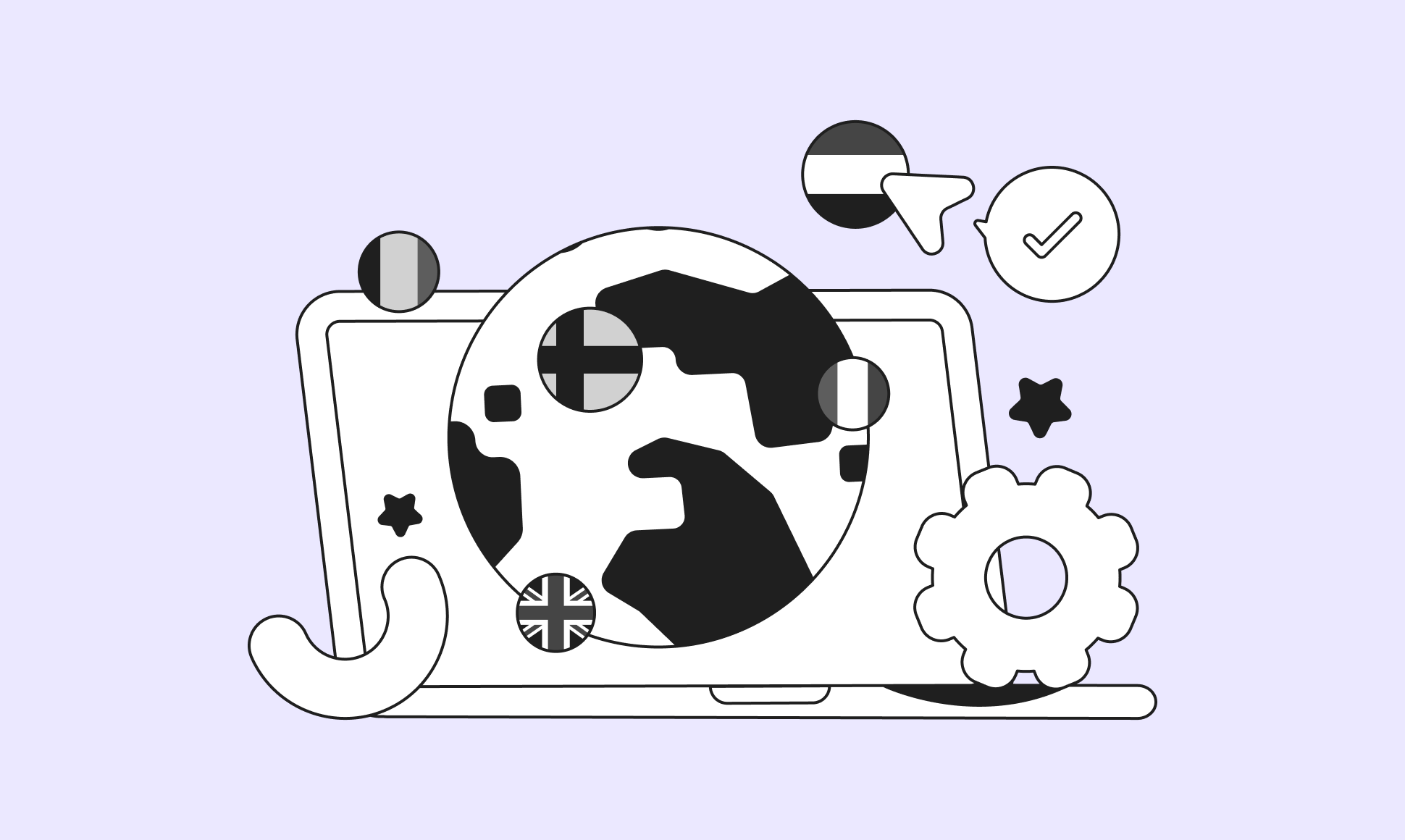
Website localization is the process of adapting your website and digital assets to a specific market's language, culture, and expectations. Not just swapping out text, but adjusting everything that shapes how a visitor experiences your site.
That includes:
- Language and tone, adapted for the culture, not just the words
- Visuals and imagery that respect local sensitivities and preferences
- Product offerings, promotions, and pricing relevant to the region
- Local payment methods and currencies
- Shipping options appropriate to the region
- Multilingual customer service
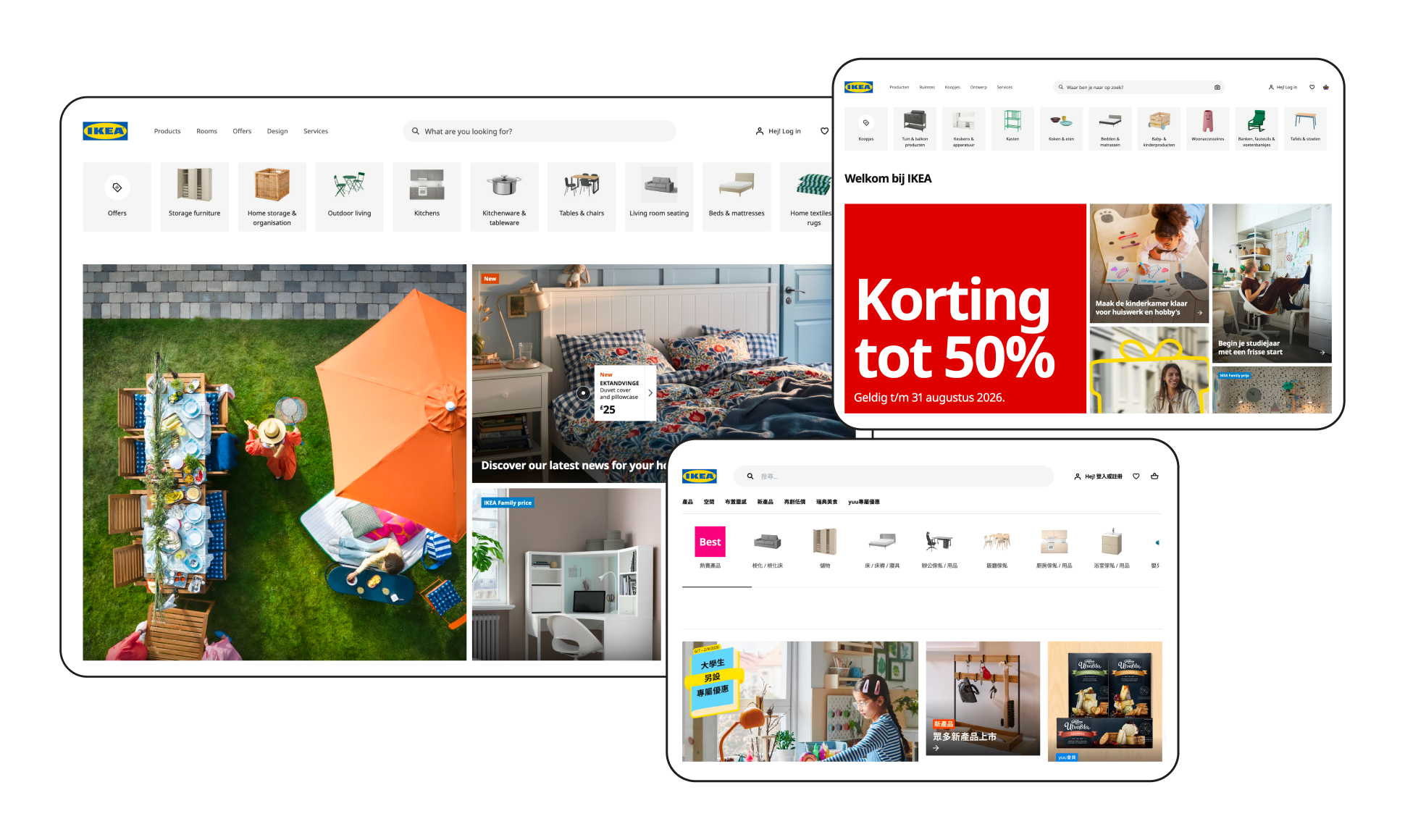
IKEA (opens in a new window) is a classic example: Open the site from a different country, and you'll see entirely different products, promotions, and imagery, not just translated labels. That's localization working as intended, with content built to feel native to each market, not simply translated into it.
Localization vs. translation vs. internationalization
These three terms get used interchangeably, but they're distinct, and mixing them up is the most common reason localization projects stall.
| What it does | Scope | Example | |
|---|---|---|---|
| Translation | Converts text from one language to another | Words and meaning only | Translating "Add to cart" to "Ajouter au panier" |
| Localization | Adapts the full experience to a target market | Language + visuals + currency + payment + UX | Showing EUR pricing, local payment methods, and region-specific promotions to French visitors |
| Internationalization | Prepares your codebase to support any language/region | Technical architecture | Decoupling text strings from code so new languages can be added without a rebuild |
In a nutshell: internationalization is the engineering groundwork, translation converts the words, and localization is everything that makes the experience feel native rather than foreign. A page can be perfectly translated and still fail in-market if the currency, imagery, or payment options don't match local expectations.
Benefits of website localization
By adapting content, not just language, to your target audience, you build the kind of trust that turns visitors into customers.
First, it increases customer engagement
Presenting content in the language and cultural context your customers are most comfortable with directly affects whether they engage with it at all. According to Capital One Shopping's cross-border e-commerce research (opens in a new window), three-quarters of e-commerce shoppers want to buy in their own language, while 59% rarely or never buy from English-only websites. That's not a marginal preference. For a majority of any international audience, language is a hard filter before they'll even consider buying.
Second, it boosts conversion and sales
Localization's payoff shows up directly in revenue. A fully translated page can read perfectly and still lose the sale if prices, dates, and payment methods don't match local norms.
For example, a French shopper landing on a translated-only US store still sees USD pricing, US date formats, and US-only payment methods, all of which create friction at checkout. Localization closes that gap; translation alone doesn't. And the audience this affects is growing: DHL's 2026 E-Commerce Trends Report (opens in a new window) found 70% of shoppers now buy internationally, up from 60% the year before.
Third, it creates a personalized customer experience
Localization goes beyond swapping words, it changes what a visitor sees. Using geolocation data, localized sites can automatically show pricing, promotions, and content suited to a shopper's region, rather than a one-size-fits-all default. This is the same logic Spotify and YouTube use to serve region-specific recommendations and localized content by default.
Eyewear brand CHIMI used Storyblok to localize payment options, shipping, and market-specific content alongside translation, cutting the time to open a new market down to a few hours. Read the CHIMI case study.
Fourth, it helps you rank higher in search, including AI search
Localization opens up entirely new keyword surface area. Instead of ranking only for "buy shoes," a localized site can also rank effectively within other markets, e.g., "Schuhe kaufen" in German-speaking markets. This compounds across every language you support, and it also feeds AI-driven answer engines: localized keywords and properly implemented hreflang tags with schema markup help search engines understand and correctly serve multilingual sites, which increasingly determines whether AI Overviews and chat-based search tools surface your content to non-English searchers at all.
Ranking across languages is only half the equation, as AI engines still need to understand what your content means once they find it. See how structured content can help your content be AI search-ready.
How to localize your website: A four-step process
There are four core stages to localizing a website or e-commerce platform. Most marketing sites can move through this in two to four weeks per language; larger e-commerce catalogs and web apps take longer.
Step One: Create a localization strategy
You can't localize well without a plan. Your strategy should define which markets you're targeting, your timeline and budget, and how you'll measure success.
Conduct market research: Understand the behaviors, culture, and preferences of each target market, not just the language. A survey, competitor analysis, or subject-matter-expert interviews with people in your target market will surface nuances (imagery, tone, product framing) that pure translation would miss.
Then, it's time to choose your workflow model. Decide whether you're doing:
- Waterfall localization: You already have a live site in a base language, and localization happens after the fact. Development work is mostly done; the load falls on translators and marketers.
- Agile localization: You're building the site and localizing simultaneously, so developers, translators, and marketers all work in parallel from day one.
Assign roles and tools: Whichever model you choose, assign clear ownership for who manages translation memory, who approves in-market copy, and who owns the tooling so the process stays accountable as you scale to more languages.
Set SMART goals and KPIs: Decide upfront what you're measuring: traffic to localized pages, conversion rate by locale, or bounce rate on international subdomains. Check Google Analytics for which localized pages drive the most traffic and which convert best, and use that to steer where you invest next.
Step Two: Internationalize your website
Internationalization prepares your codebase to support any language without a rebuild. In practice, that means decoupling translatable strings from your source code, encoding content in UTF-8 (opens in a new window) to support all character sets, and building layouts that don't assume a fixed text length; some languages take 30–40% more space than English.
In a content platform like Storyblok, this is handled at the platform level rather than requiring custom engineering for every new locale.
In a content platform like Storyblok, this step is handled at the platform level rather than requiring custom engineering for every new locale. See how internationalization works with Storyblok.
Step Three: Translate your content
The right translation approach depends on how your content is structured. Storyblok supports three translation models:
- Field-level translation: Content structure stays identical across all languages; only the field values change. Best when every locale needs the same layout and components.
- Folder-level translation: Structure can differ by language and market, useful when one region needs a different page layout or content set than another.
- Space-level translation: Best when you're managing multiple spaces and need to control languages independently across them.
For anything customer-facing or high-stakes, pair machine translation with a professional translator or localization consultant for quality assurance. AI translation tools have gotten significantly better, but cultural judgment calls (idioms, regulated claims, sensitive imagery) still need a human in the loop.
METRO Markets uses Storyblok to generate 10 translated category pages across German, French, and Spanish markets in just 3 minutes, and lifted the click-through rate by 12% in the process. Read the METRO Markets case study.
Step Four: Optimize for multilingual SEO
Once your content is live in-market, multilingual SEO (also called international SEO) is what makes it findable. Three things matter most:
- Localized keyword research: Don't just translate your primary-market keywords. Research how people actually search in each locale; terminology and intent shift by region even within the same language (British vs. American English, for instance).
- hreflang implementation: These tags tell search engines which language/region version of a page to serve to which searcher, and prevent duplicate-content penalties across locales.
- Dedicated URLs per language: Whether via subdirectories (
/fr/), subdomains, or ccTLDs, a clear URL structure per locale is a baseline requirement for both traditional and AI-driven search to index and attribute your content correctly.
Using Storyblok and Lokalise for website localization
Storyblok's headless architecture makes it straightforward to manage content across channels and languages from a single source. The Lokalise (opens in a new window) integration for Storyblok extends that by centralizing your entire translation workflow, inviting teammates, freelancers, or agency partners into one workspace instead of managing spreadsheets and email threads per locale.
With continuous translation, content edited in Storyblok can flow to Lokalise and back automatically, so your localized site is always ready to publish rather than perpetually a translation cycle behind. Built-in QA checks help catch inconsistencies before they go live, which matters more as you scale past two or three languages. CoachHub, for example, uses the integration to deliver its coaching content library in eight languages from a single content library.
If you need localization capabilities beyond translation, like translatable slugs or per-region spaces, Storyblok's headless CMS for localization page covers the full toolset.
Frequently asked questions (FAQs)
What is website localization?
Website localization is adapting a website's language, visuals, currency, payment methods, and overall user experience to fit a specific target market, going beyond translation to make the site feel built for that audience.
How is localization different from translation?
Translation converts text from one language to another. Localization adapts the entire experience (imagery, pricing, payment methods, and cultural references) around that translated text so it feels native to the target market.
How much does website localization cost?
Cost depends on site size, number of languages, and whether you use machine translation, professional translators, or both. A single-language marketing site localization is typically a smaller, faster project than a full e-commerce platform with product catalogs and checkout flows.
How long does it take to localize a website?
A typical marketing site can be localized per language in roughly two to four weeks. E-commerce platforms and web applications generally take longer due to product data, checkout logic, and QA across more page types.
What's the difference between field-level, folder-level, and space-level translation?
Field-level translation keeps content structure identical across languages and only swaps field values, best for sites where every locale needs the same layout. Folder-level translation allows structure to differ by market. Space-level translation is best when managing multiple independent spaces, each with its own languages.
Do I need a professional translator, or can I use AI/machine translation?
Machine translation has improved significantly and works well for high-volume, lower-stakes content. For customer-facing pages, regulated claims, or anything culturally sensitive, pairing AI translation with a human reviewer or professional translator is still the safer approach for quality and brand trust.