CMS vs. CRM: What's the Difference (and When to Add Each)?

Storyblok is the first headless CMS that works for developers & marketers alike.
Quick overview
- A CMS manages content and the visitor experience; a CRM manages customer data and the sales relationship.
- They serve different teams and different jobs, but they're most effective when integrated: CMS captures leads, CRM nurtures them.
- Start with a CMS as your foundation; add a CRM once lead volume or team size outpaces manual tracking.
When it comes to CMS vs. CRM, don't let the similar acronyms fool you, these two systems serve different purposes.
A content management system (CMS) manages the content on your website; a customer relationship management system (CRM) manages your relationships with the people who visit it. It's an easy mix-up, especially when running a business juggling a growing stack of tools that all promise to make things easier.
The more useful question isn't which one is better: It's how they work together, and when your business actually needs each one. Here's what each one does, how they differ, and how to use both.
What is a CMS?
A content management system (opens in a new window) (CMS for short) is software used for building and managing websites without developing them from scratch. It's the core of your organization's online presence, letting you create, edit, and publish content across channels: websites, mobile apps, IoT devices like smart speakers, and more.
There are two main CMS architectures:
- Monolithic CMS (opens in a new window): The content editor (backend) and the website display (frontend) are built as one tightly coupled system. Easier to set up, but less flexible: your content is siloed to that one frontend.
- Headless CMS: Content lives in the backend and is delivered to any frontend through an application programming interface (API), a set of rules that lets two systems exchange data. This lets one content source power a website, app, and other channels at once, including omnichannel publishing and internationalization (adapting content for different languages and regions), at the cost of more setup complexity.
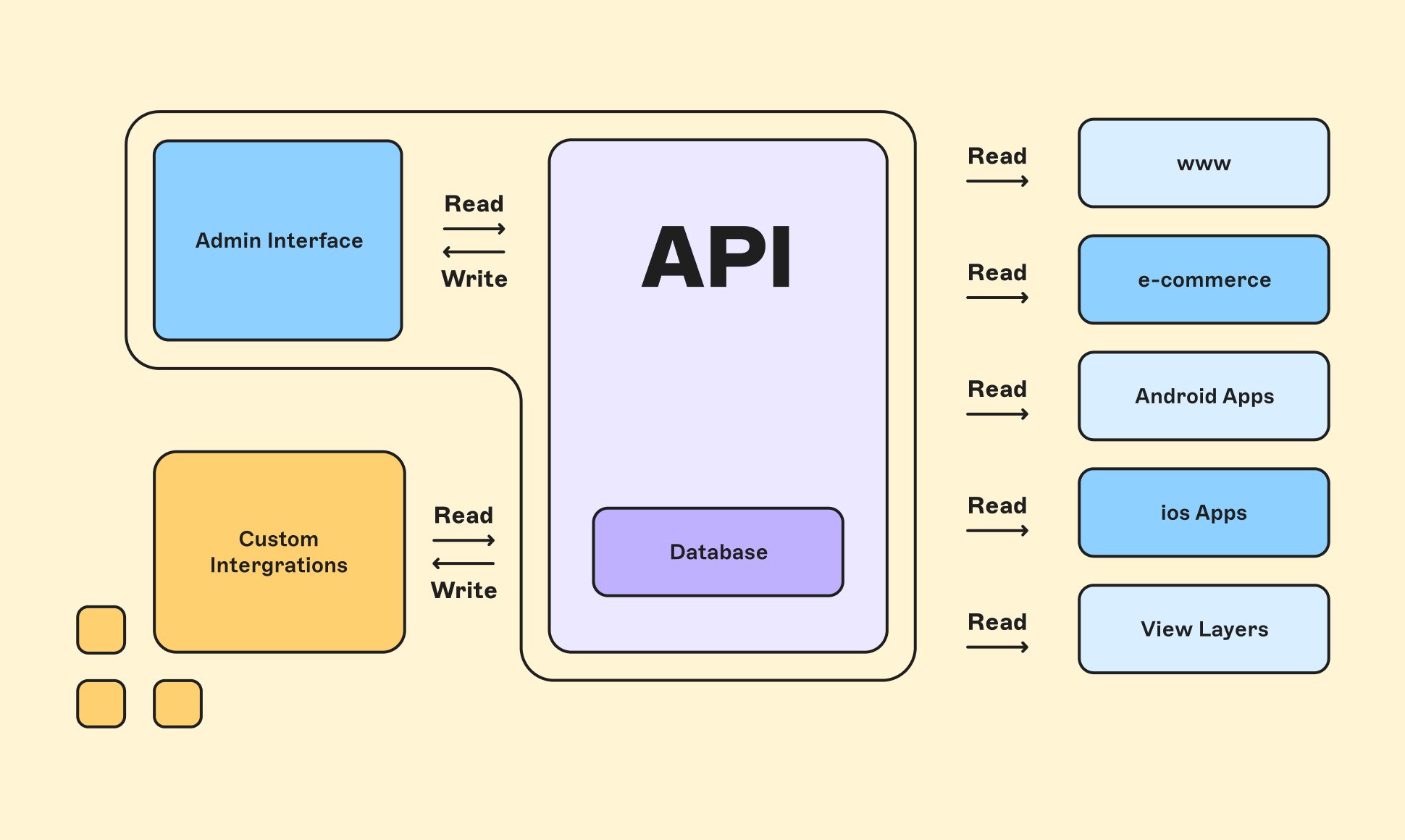
A headless CMS relies on APIs to read and write data seamlessly.
Who uses a CMS?
Marketers, content editors, and designers are the most common users of content management systems, using them to produce and manage content for viewers.
Developers build and maintain the underlying platform, integrating tools and keeping everything running. Some companies also have a dedicated website admin, though this role is often folded into another team member's responsibilities.
Features of the content management systems
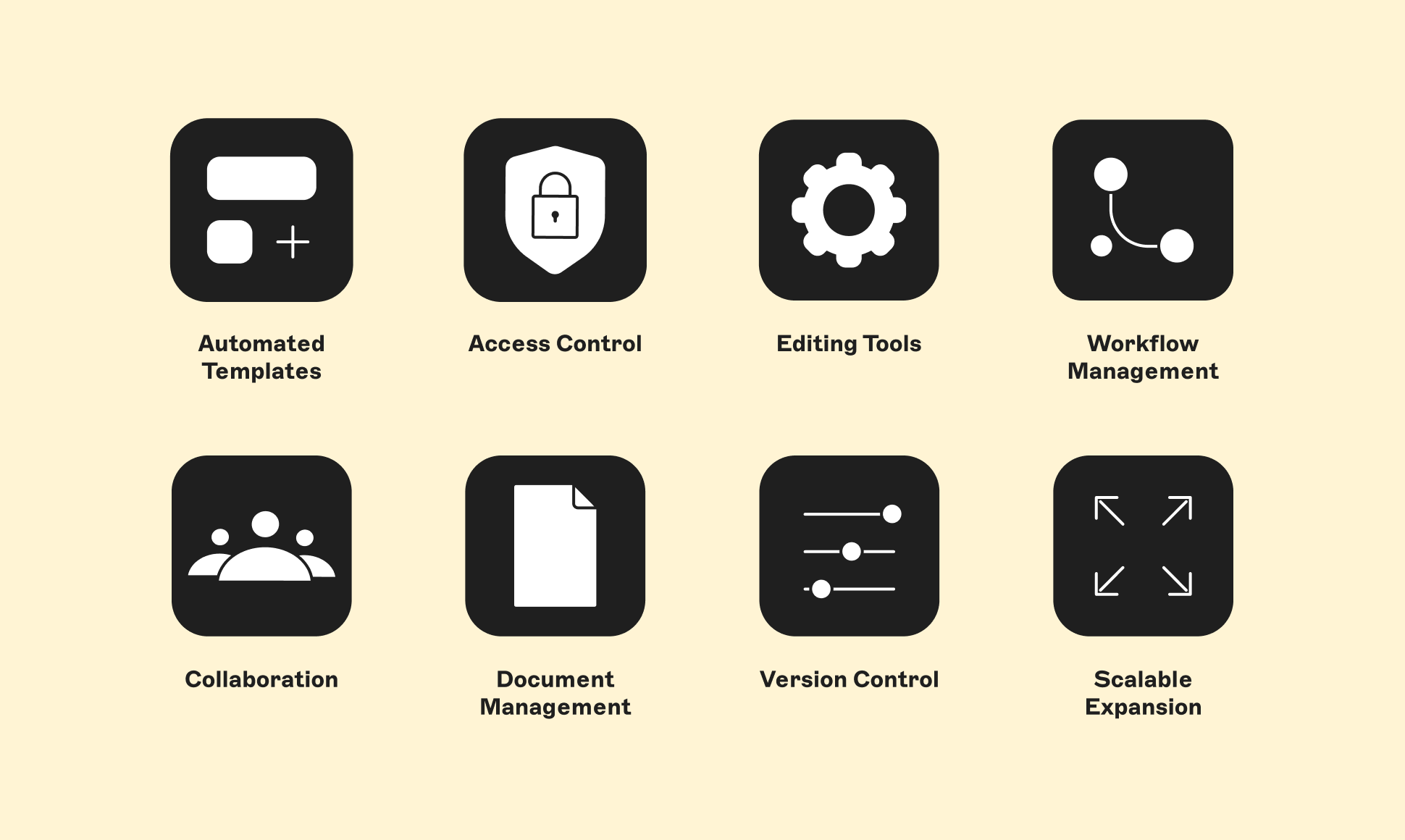
Core CMS features
- Content editor: Add, edit, and manage content: blog posts, microsites, product pages.
- Security: Protects customer data; it's consistently cited as a top reason teams switch CMS platforms.
- Collaboration tools: Workflows, role management, access control, and commenting for teams working on the same site.
- Digital asset management: A centralized, searchable library for images and video, so teams keep brand assets consistent and editing efficient.
In short: A CMS is the technology that creates the digital experience for your visitors: content for frontend users, tools for backend users.
What is a CRM?
A CRM (customer relationship management (opens in a new window) system) turns customer data into an accessible database you can use to improve every stage of the customer journey. It lets teams gather contact information, manage the sales pipeline, and handle support, and it connects marketing campaigns directly to that pipeline so you can segment audiences and target leads more precisely.
Who uses a CRM?
Sales teams use it for lead management, seeing when and where a lead originated and acting on that information. Marketers build campaigns from customer interaction data. Support teams use it to track the full customer journey and manage tickets.
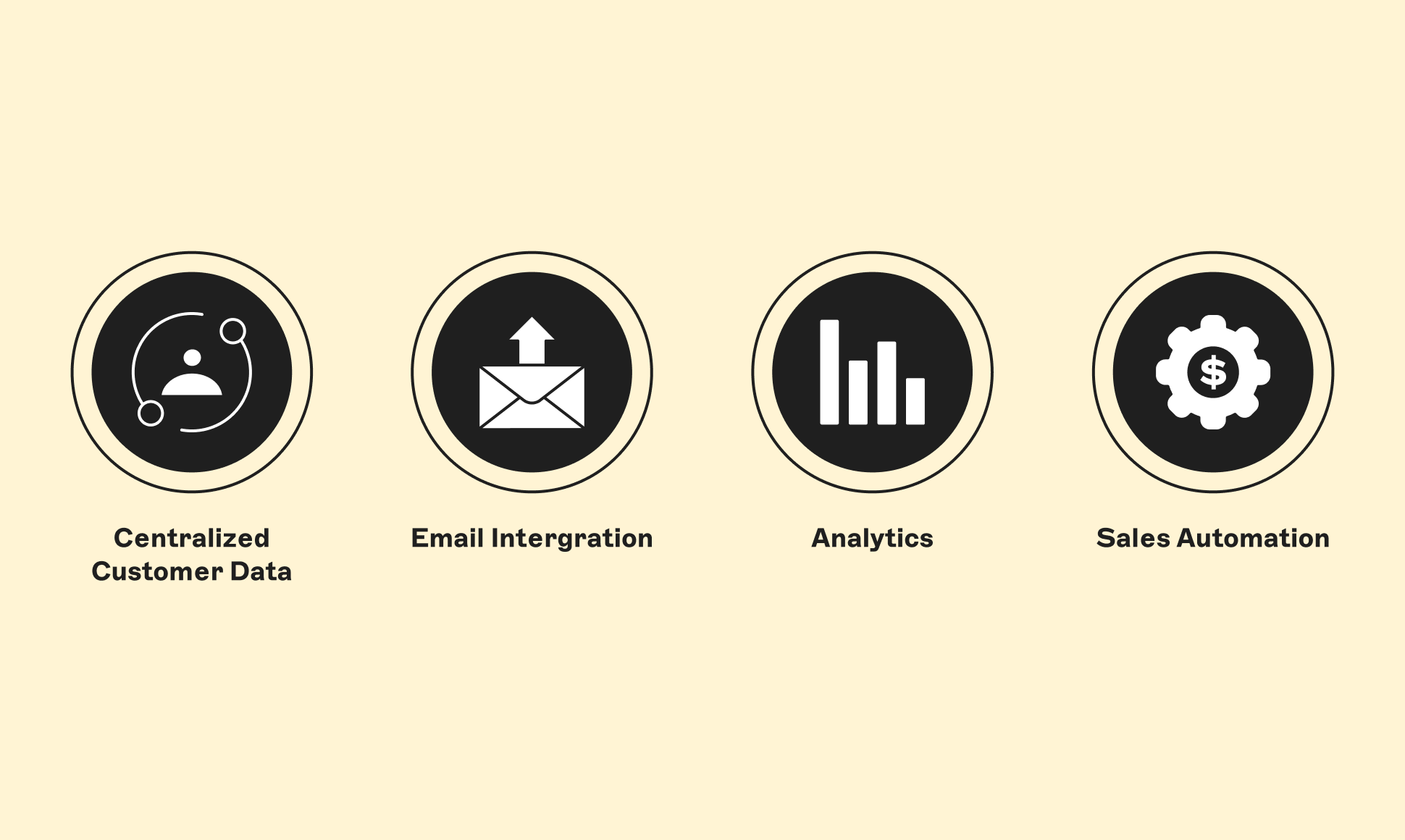
Core CRM features
- Centralized customer data: Every interaction, from first visit to purchase, in one place, giving you a full view of customer behavior and needs.
- Email integration: Email marketing can return up to $36 for every $1 spent, but only when messages are targeted to specific segments, which is what CRM data enables.
- Analytics: Automatic reporting on how customers engage with your brand, no manual spreadsheet work required.
- Sales automation: Automatic follow-ups and reminders (a check-in email, a review request) that keep leads warm without manual tracking.
In short: A CRM is the technology that assesses and tracks the experience your CMS provides, so you can use that insight to improve it.
| CMS | CRM | |
|---|---|---|
| Manages | Website and digital content | Customer and sales data |
| Primary users | Marketers, content editors, and developers | Sales, marketing, and support teams |
| Core job | Create, edit, and publish content | Track leads, automate outreach, and manage pipeline |
| Typical first adopter | Any business with a website | Businesses with a growing, hard-to-track lead volume |
| Example output | A published landing page | A logged sales call and the next follow-up date |
| Works well with | CRM (for lead capture via forms) | CMS (for personalized content delivery) |
How to integrate your CMS and CRM
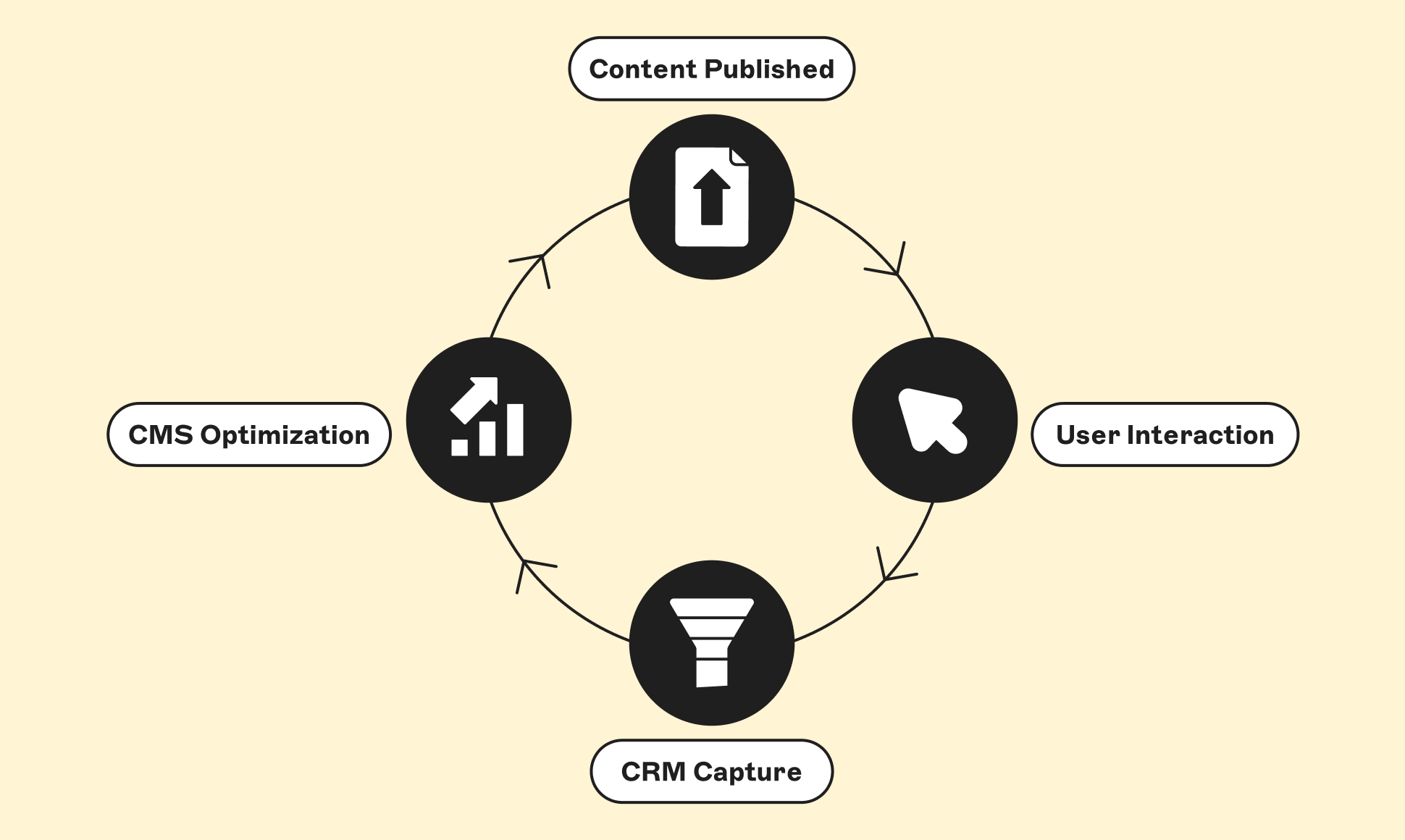
Integration is what turns two separate tools into one system that moves a visitor from anonymous traffic to tracked customer. In practice, it usually comes down to four steps:
- Connect a lead-capture point. Add a form, chat widget, or gated content block on a CMS-managed page: a contact form, newsletter signup, or content download are the most common starting points.
- Route form submissions into the CRM. Most modern CMS and CRM platforms support this natively via Storyblok's API or a middleware tool like Zapier, so a submitted form creates or updates a contact record automatically, no manual data entry.
- Trigger a follow-up sequence. Once a lead lands in the CRM, set up an automated response (a welcome email, a sales notification, or a scoring rule) so no lead sits untouched.
- Feed CRM data back into your content. Use what the CRM knows about a visitor (industry, past purchases, funnel stage) to personalize what the CMS shows them on return visits; a returning customer might see different homepage content than a first-time visitor.
A headless CMS makes this loop easier to build and maintain, since its API-first architecture is designed to exchange data with other systems, including a CRM, without custom backend work each time either platform updates.
CMS vs. CRM: When to add each
A CMS creates the experience a visitor has on your site; a CRM captures what that visitor does with it, and turns that into data you can act on. That data then shapes what the CMS shows the next visitor, a direct feedback loop between content and customer behavior.
Most businesses start with a CMS, since a website is the baseline requirement for a digital presence. Add a CRM once you're seeing signs like:
- You're generating more leads than you can track manually
- Follow-ups are being missed or delayed
- More than one person needs visibility into the same leads or customers
- You want to personalize content based on past customer behavior
If none of those apply yet, a CMS alone is likely enough for now.
CMS vs. CRM: Bringing it all together
CMS and CRM aren't competing tools, they're solving two different problems that happen to sit side by side in most businesses' tech stacks.
A CMS gets your content in front of the right people; a CRM keeps track of what those people do next. Get the content experience right first, and the case for adding a CRM tends to make itself once your lead volume or team size demands it.
Frequently asked questions (FAQs)
Is a CMS the same as a CRM?
No. A CMS manages website content; a CRM manages customer relationships and sales data. They're often confused because of the similar acronym, not because they do the same job.
Can I use a CMS without a CRM?
Yes, most businesses run a CMS-only setup early on and add a CRM once lead volume or team size makes manual tracking unreliable.
Do CMS and CRM integrate with each other?
Yes. A common setup uses CMS-hosted web forms to capture leads, which flow directly into the CRM's pipeline, and CRM data can be used to personalize what the CMS shows a returning visitor. See the integration steps above for a typical setup.