

App Bridge for Space and Tool Plugins
The App Bridge is an authentication flow for space plugins and tool plugins. It provides an additional authentication method alongside the OAuth 2.0 authorization flow, offering flexibility for different use cases.
Why use the App Bridge
Section titled “Why use the App Bridge”Storyblok’s OAuth 2.0 authentication gives plugins access to the Management API, required to manage content in a space. Plugins that don’t need this access level, such as an analytics dashboard that displays traffic data, can work without OAuth.
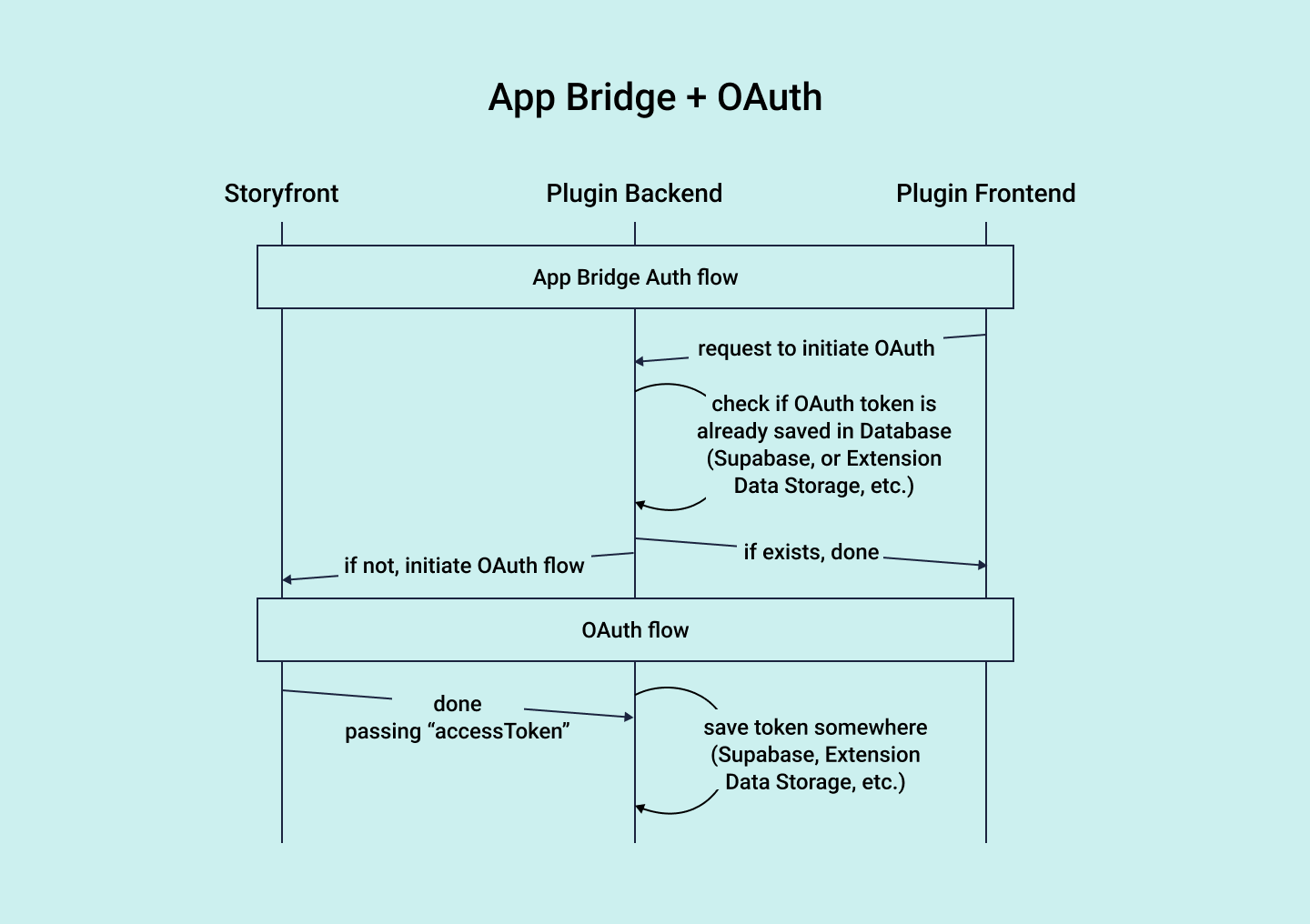
App Bridge authentication complements the OAuth flow. Use both methods for the best results.
The following diagram outlines how they work in tandem:
App Bridge authentication flow
Section titled “App Bridge authentication flow”Before you start the authentication flow, complete the following steps:
- Obtain the plugin credentials and save them in the project’s environment files.
- In the Partner Portal or your organization, open Extensions, select the plugin, and select Use App Bridge (experimental).
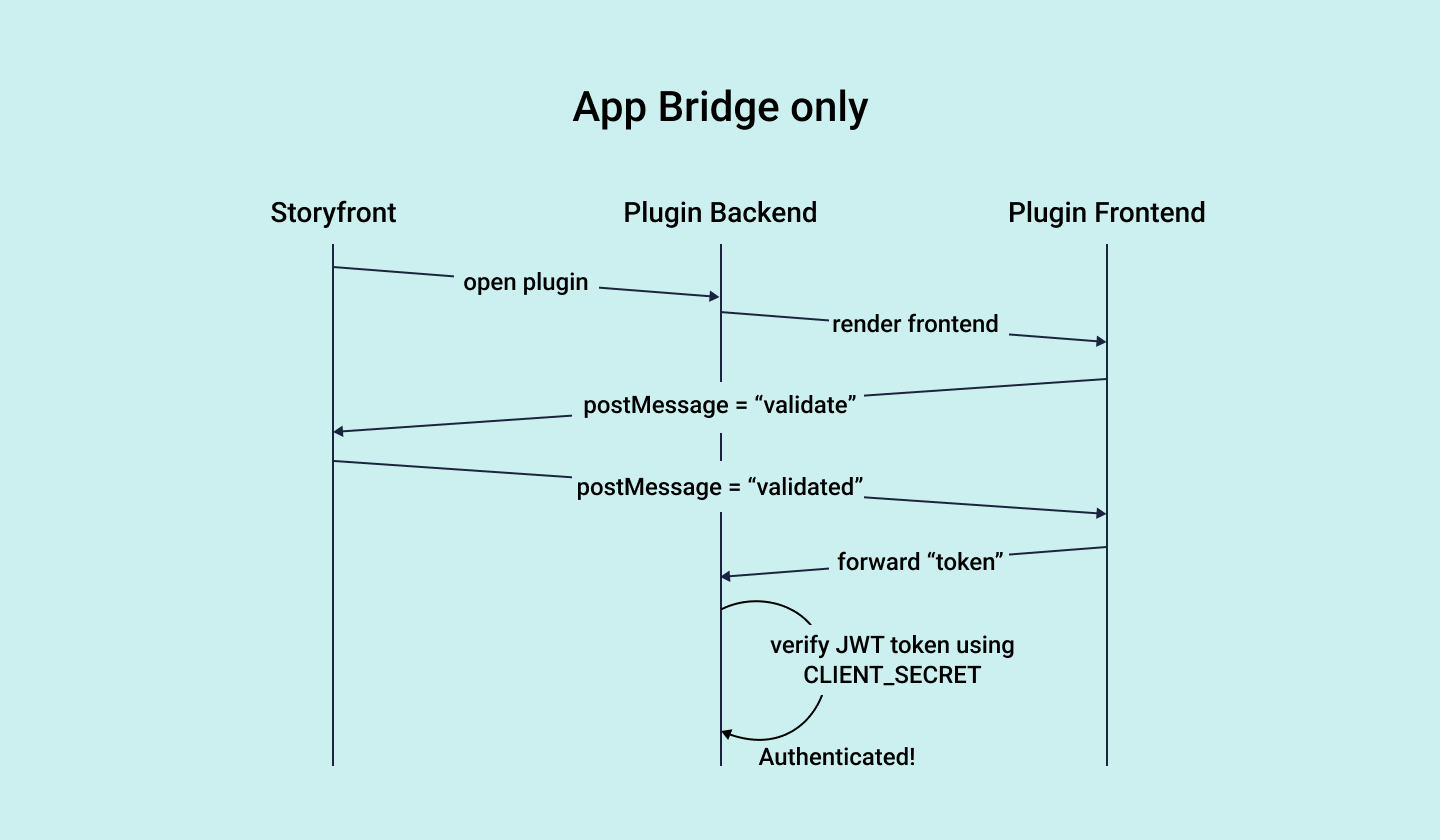
Storyblok then opens the plugin before the user grants OAuth access. Space plugins require this so Storyblok responds to App Bridge messages.
To start the validation process when a plugin first loads, send a postMessage to https://app.storyblok.com with the following payload.
An example for a space plugin:
{ action: "app-changed", event: "validate",}An example for a tool plugin, which includes the plugin’s slug in the tool key:
{ action: "tool-changed", event: "validate", tool: "my-tool-plugin-slug",}Next, set up an event listener for messages with the following payload. Check that event.origin is https://app.storyblok.com before you process a message.
{ action: "validated", token: "...",}When the plugin receives the payload with the token, validate the token in an API route to secure communication:
const tokenReceivedFromMessagePayload = "...";const secretCopiedFromPluginOauthTab = "...";jwt.verify(tokenReceivedFromMessagePayload, secretCopiedFromPluginOauthTab);If the token is valid, show the plugin’s content. Store the token in the session and include it in the headers of subsequent requests. The token confirms that the plugin runs inside a Storyblok space, so the server can safely run sensitive operations.
Related resources
Section titled “Related resources”Was this page helpful?
This site uses reCAPTCHA and Google's Privacy Policy (opens in a new window).Terms of Service (opens in a new window) apply.
- Need help?Contact support (opens in a new window)
- Something isn’t right?Check system status (opens in a new window)
Get in touch with the Storyblok community