

Strata
Strata is a semantic search layer for your space. It indexes your content as vector embeddings, so you can find content by meaning rather than by exact keyword matches. A visitor who searches “can I send my order back?” finds a page that says “return policy”, even though the two phrases share no words.
What Strata indexes
Section titled “What Strata indexes”The Strata index for a space currently indexes stories only on the default branch (the main content branch, not stages in the Pipelines app), in the default language. Draft and published stories have two separate indexes, so draft and published content can be searched independently.
Everything else is excluded: the asset library, datasources, and tags. Text in a story’s asset fields, such as alt text, is still indexed.
Strata indexes the default language only, but you can search in other languages and get matching results from the default-language index.
Enable Strata
Section titled “Enable Strata”Strata is disabled by default and can only be enabled per space by a space admin. To enable Strata in a space, go to Settings → Strata, then turn on the Enable Strata toggle.
Enabling Strata starts the first indexing run for the whole space. Indexing runs in the background and takes roughly one to two minutes per thousand stories, depending on content. The space becomes searchable once this first run completes. Until then, search returns no results.
Manage indexing status
Section titled “Manage indexing status”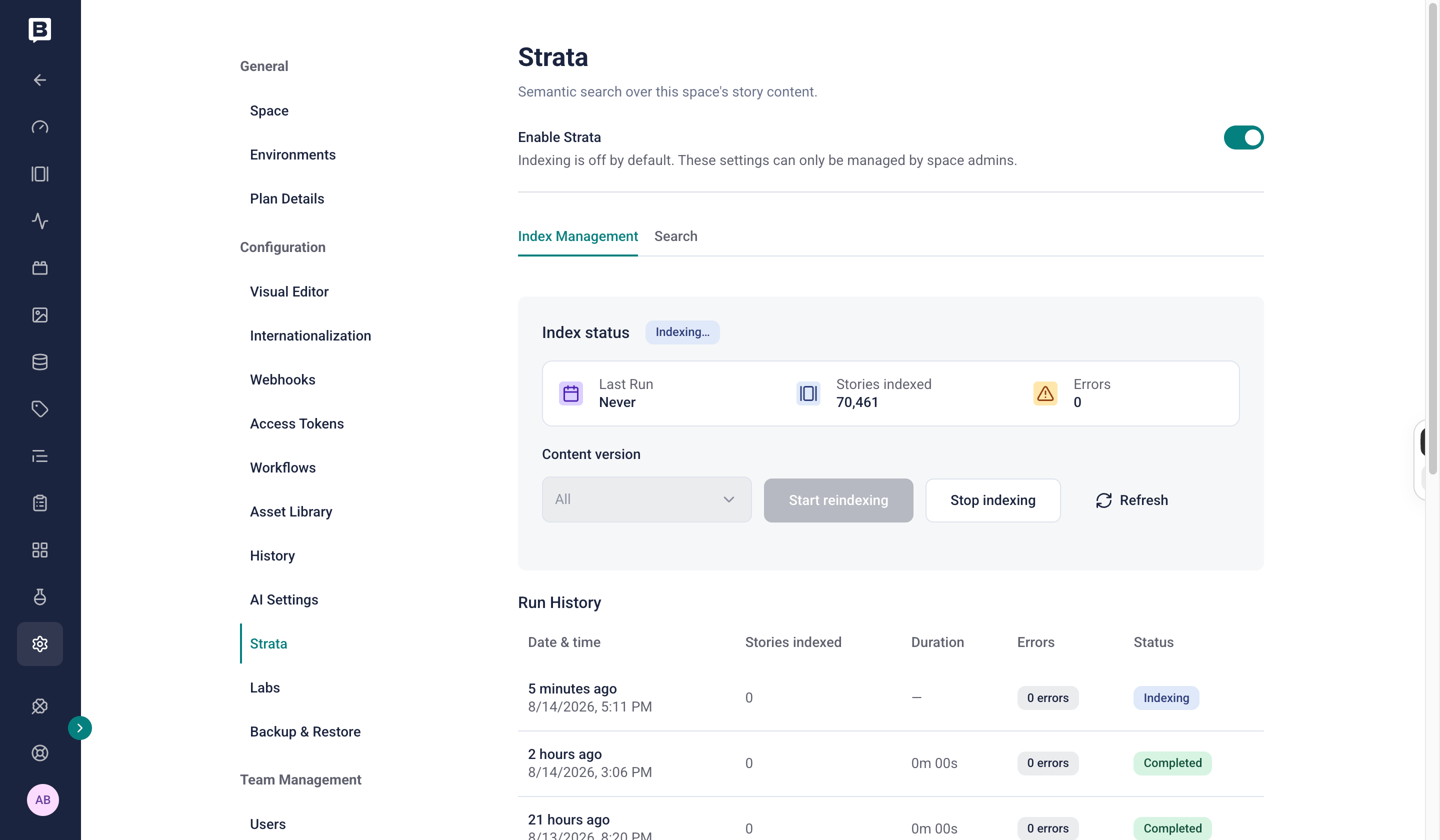
The Index status panel and Run History on the Strata settings page.
Use the Index status panel on the Strata settings page to monitor the current state of the index and start a reindex.
Strata automatically updates the index for a space once per day at a scheduled time. Search keeps working during a reindex, serving the current index until the new one is ready. Stories might not be searchable immediately after publish. To make new or changed stories available sooner, start a manual reindex from the Index status panel.
When you start a reindex, you can choose which content to index: All, Draft, or Published stories. Only stories changed after the last run are reindexed, so subsequent reindex runs are much faster.
Below the panel, a Run History table lists past runs with additional details and indexing errors, if any. Select a run’s errors count to open an Indexing errors panel listing each story that couldn’t be indexed, with a View story link for each.
Perform a semantic search
Section titled “Perform a semantic search”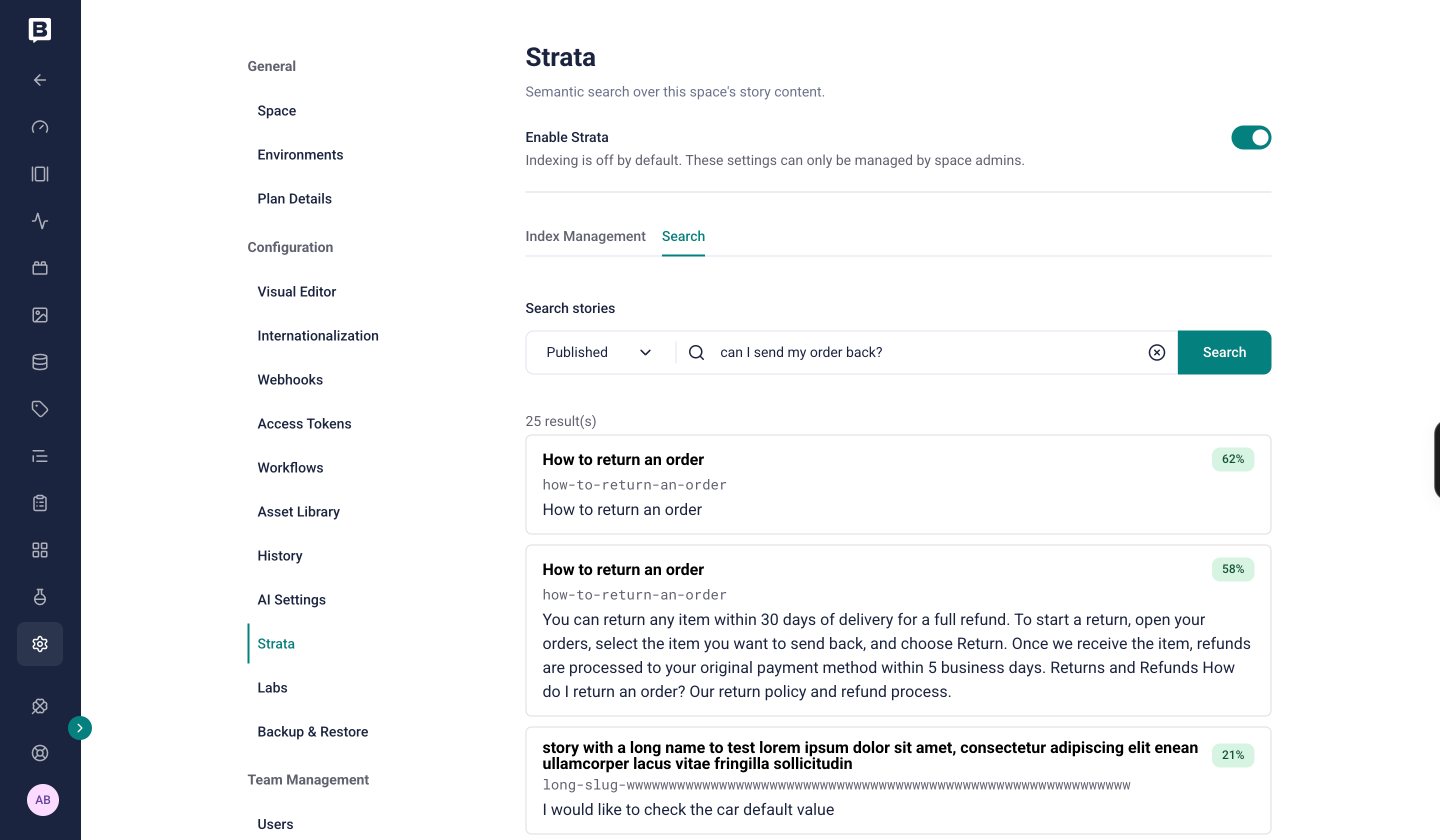
Semantic search results in the Strata Search tab.
The Strata settings page includes a Search tab to test semantic search. Select a content version (Draft or Published), enter a natural-language query, and select Search. Strata returns a ranked list of stories, each with its name, slug, a matching excerpt, and a match score.
To run semantic search from your own applications, AI assistants, or agents, use the Content Delivery API search endpoint. For private searches scoped to a user’s permissions, use the Management API search endpoint.
Limitations
Section titled “Limitations”Strata is retrieval-only: it returns relevant content but doesn’t generate answers. For what Strata can and can’t do, refer to the Strata concept.
Was this page helpful?
This site uses reCAPTCHA and Google's Privacy Policy (opens in a new window).Terms of Service (opens in a new window) apply.
Get in touch with the Storyblok community