Content Maintenance Automation: How to Keep Your Estate Healthy at Scale

Storyblok is the first headless CMS that works for developers & marketers alike.
TL;DR
For most marketing teams, content maintenance follows the same exhausting pattern: the audit happens once, produces a spreadsheet no one fully acts on, and has to be repeated again next quarter or next year. It's reactive, time-consuming, and ultimately unsustainable as content estates grow.
Content maintenance automation breaks that cycle. By using automated triggers, rules, and workflows to continuously flag, route, update, and retire content, teams can keep their entire estate healthy without the relentless manual effort — replacing the usual scramble with a system that runs quietly in the background all year round.
We’ve all got skeletons in the content closet
It's a tale as old as the internet. Your marketing team has been tasked with auditing your website content. Someone opens a spreadsheet, another person starts crawling the site, and soon enough, you have 6,000 rows, eleven tabs, and color-coded columns that hardly anyone understands — not to mention a growing sense that by the time the audit is finished, the first pages you reviewed will already be out of date again.
This is the reality for most teams today. Marketing sites don't run hundreds of pages anymore — they run thousands, often spread across multiple CMSes, regional domains, product lines, campaign microsites, localized markets, and more. Every one of those pages has a publish date, a set of internal links, a CTA pointing somewhere, and data that will eventually be wrong.
Keeping track of it all manually is unsustainable. Content teams end up drowning in maintenance work — checking for broken links, chasing down the owner of a page that hasn't been touched in two years, updating CTAs when campaigns end, and refreshing stats that have quietly become inaccurate.
And here's the real kicker: the bigger the content estate grows, the more maintenance is required — and the less it tends to happen. Most teams get overwhelmed and default to creating new content rather than pruning what they already have. Inaccurate content goes unchecked, duplicates accumulate, and assets go unmanaged for months or years. This is content debt — the accumulation of outdated, inaccurate, or unmanaged content that accrues cost and risk the longer it goes unaddressed —building quietly with every new piece of content added to your estate, and costing more the longer it's left untamed.
The scale is bigger than most teams assume. Storyblok's research with FT Longitude found unmanaged content debt costs businesses $4.63 trillion globally, with the average organization carrying 5.9% of its revenue at risk as a result. Manual audits might catch that eventually — automation is what stops it from reaching that scale in the first place.
What makes the content debt problem harder to ignore now is AI. Tools like ChatGPT, Perplexity, and Google AI Overviews pull from your entire content estate when generating answers — and while they value freshness and accuracy, they can't always tell when your content is out of date. An outdated product page or an old blog post can be surfaced in an AI-generated answer as a current fact. When that happens, the consequences are real: a prospect arrives on your site having been told something inaccurate — a price that's changed, a feature that's been discontinued, a message that no longer reflects your brand. That disconnect erodes trust before the conversation has even started, and with it, your chances of conversion.
But AI isn't just a new source of pressure — it's also the most powerful content ally your team has ever had access to. The catch is that it works best when your content estate is in good shape. A well-maintained estate turns AI into a genuine force multiplier; a neglected one compounds the problems. The responsibility for getting there sits with you, not the algorithm — and this article is about how you can make that job easier.
Find out in less than 15-minutes in this AI Readiness Assessment designed to provide you with insights on where you stand and how to reach the next level in the AI-driven content era.
There is a better way: Content maintenance automation
Content maintenance automation is the use of predefined rules, triggers, and workflows to monitor, flag, route, and update content without requiring manual intervention at every step. Rather than treating content upkeep as a periodic scramble, it makes content health a continuous, background process — so your team spends their time on decisions that require human judgment, not on tasks a system can handle for them.
Content maintenance automation isn't about replacing content auditing. Instead, it's about optimizing what we can, lightening the load on marketing teams, and making the entire process more efficient.
The routine, repeatable maintenance work — broken links, expired CTAs, overdue reviews, stale stats, drops in page performance — gets handled automatically, continuously, in the background. By the time your team sits down for a strategic content review, the noise has already been cleared. What's left are the decisions that genuinely require human judgment: what to consolidate, what to retire, what deserves investment.
Content maintenance automation can also help to alleviate the mental load of scheduling regular maintenance and auditing into your calendar. Instead, predefined triggers can be put in place and scheduled to reach your team at the most convenient time of your choosing — ensuring that content health and the reduction of content debt become permanent, team-wide considerations rather than afterthoughts.
This section covers the concept — the Content Debt Recovery Plan is a 12-month program that puts it into practice, starting with a baseline audit and building toward the kind of automated maintenance system this article details.
What to automate and how to reduce content debt
The building blocks of any content maintenance automation system are triggers: conditions that, when met, initiate a predefined action.
But not every trigger is equal. Some are the right starting point for almost any team, regardless of estate size, while others require more infrastructure or are better suited to mature content operations. The list below moves broadly from highest-impact and easiest to implement, to more complex:
- Age-based triggers: Any content not reviewed within a set period — say, six or twelve months — automatically enters a review queue. No one has to remember to check it; the system does. This is the single most universally valuable trigger, and the right place for most teams to begin.
- Broken link detection: Automated crawling surfaces internal and external broken links and routes them to the relevant content owner. Visitors stop hitting 404s; your team stops discovering them by accident. Most teams can implement this quickly with off-the-shelf crawling tools.
- Performance-based triggers: When traffic drops below a threshold, keyword rankings fall, or engagement declines, the content is flagged for a refresh or retirement assessment — before the decline becomes a trend. Requires integration with your analytics or SEO platform, but is high-value once in place.
- Date and fact sensitivity: Content referencing specific years, statistics, product version numbers, or regulatory details is flagged on a defined schedule for accuracy review. "As of 2023" doesn't age well.
- CTA and offer validity: Expired campaign links, discontinued product references, outdated pricing — all detectable at the system level, and all routinely missed in manual reviews.
- Brand and compliance flags: When terminology, legal disclaimers, or brand guidelines change globally, every affected content owner is notified automatically — no one falls through the cracks. This trigger typically requires closer collaboration with legal and brand teams to define the rules, so it's better suited to teams with established governance processes.
The triggers that matter most to your team will depend on your estate, industry, and priorities. The key question to ask is: which maintenance tasks currently consume the most time, cause the most risk, or fall through the cracks most often? Build your automation around those first.
How to implement content maintenance automations
It's worth aligning with the teams that own performance — SEO, analytics, and any relevant technical stakeholders — before implementing content maintenance triggers, either independently or with your development team, to ensure automated actions don't conflict with other priorities or introduce unintended consequences.
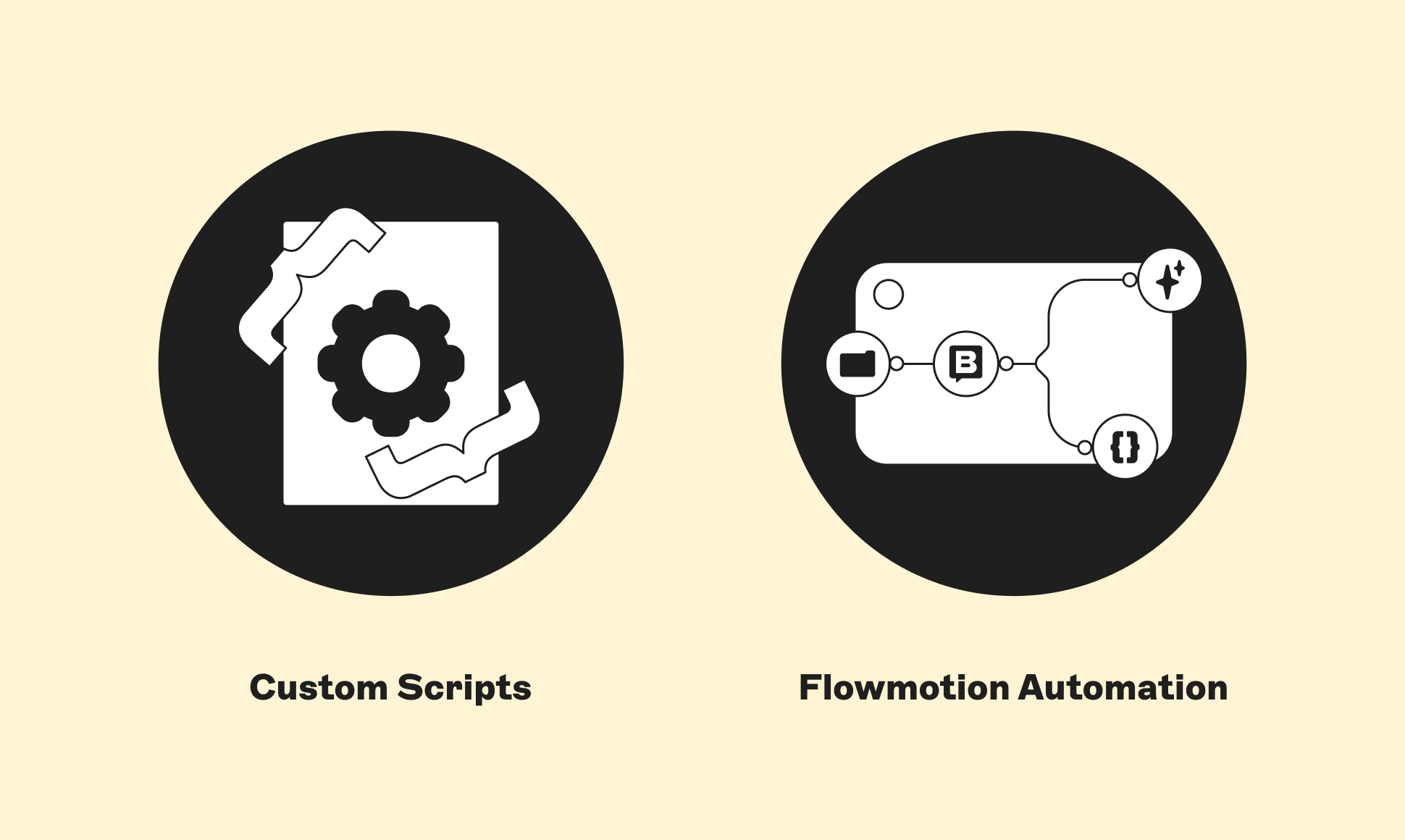
There are two routes that we would recommend to start building your automated content maintenance system:
1. Work with your development team to write custom scripts
Developers can write custom scripts to implement triggers against your CMS and connect them to your existing tools — Slack, Jira, email, or wherever your team works. This approach gives you full control over the logic and can be tailored precisely to your stack and your team’s communication preferences.
This route is most practical for teams with an in-house development resource and a relatively stable CMS setup. In terms of complexity, a basic age-based trigger (check a field in your CMS, send a notification when a condition is met) is achievable for most developers in a day or two. More complex triggers — multi-condition logic, cross-system integrations, or real-time monitoring — will take longer and require ongoing maintenance as your stack evolves.
A basic trigger script typically needs to: (1) connect to your CMS via API, (2) query for content that meets the trigger condition, (3) send a notification to the right person or channel, and (4) run on a defined schedule (e.g., via a cron job). Your developers will be able to assess the specifics against your own stack.
Setting up a script that triggers when a live blog article has not been updated for over 2 years, sending a Slack notification to a dedicated content maintenance channel, tagging the relevant individual and/or team, and inviting them to review the page and consider next steps. To avoid constant notifications, these triggers could fire at the end of each quarter and provide a quarterly round-up of blog articles that fall under this maintenance criteria.
2. Use a CMS that works as hard as you do
If you're looking for a more integrated approach, Storyblok has automation and orchestration built directly into the platform through FlowMotion — an enterprise automation and integration layer that connects every content event in your CMS to the tools, teams, and processes that keep your operation running, as you see fit.
Rather than managing triggers through separate scripts and external tools, everything lives in one place. FlowMotion's visual workflow builder and 500+ pre-built integrations mean your team can design, adjust, and manage complex content workflows without being dependent on developer time for every change — from routing flagged content to the right owner in Slack, to triggering a Jira task when a page misses its review date, to automatically enriching new content with AI-generated metadata. The possibilities are endless, and the efficiency gains are to boot.
A global product page is updated in Storyblok. A FlowMotion workflow is set up to detect the change and automatically checks whether any regional or localized versions of that page exist across your estate. Each regional content owner receives a Slack notification flagging the update, with a direct link to their version and a prompt to review for consistency. No manual chasing, no missed markets, no outdated regional pages sitting live while the global version moves on.
Building your content maintenance system: a five-step framework
Out with the content auditing scramble, and in with an always-on, sophisticated content system designed to minimize content debt and maximize content health. The steps are:
(1) Audit once to establish where the estate stands today: Understand what you have before deciding what to automate. A baseline audit doesn't need to be exhaustive — it just needs to be honest about the size of the estate, the most common types of content problems, and where the biggest risks sit.
(2) Identify your biggest pain points: Which maintenance tasks consume the most time? Which creates the most risk? Which fall through the cracks most often? Rank them. Your first automations should address the top one or two — not every problem at once.
(3) Define your first triggers: Start small, with one or two high-value automations rather than trying to do everything at once. Age-based triggers and broken link detection are the right starting point for most teams: high impact, relatively low complexity, immediately useful.
(4) Align with your SEO, development, and performance teams: Ensure any triggers you put in place have been agreed upon by the people they affect — both to avoid unintended consequences and to build shared ownership of content health across the organization.
(5) Implement, review, and iterate: Automation isn't a one-time setup. As your estate evolves, your triggers should too. Schedule a quarterly check-in to review which triggers are firing, whether the right actions are being taken, and whether new automations are warranted.
It’s time to make content maintenance easier
Content maintenance automation doesn't remove humans from the process. It removes the friction that stops humans from doing the work. With a robust content maintenance automation system in place, the estate is kept healthier, and the advantages multiply: improved AI search performance, greater content accuracy across every touchpoint, and a more efficient, in-control marketing team.
This article has covered the what and the why. It outlined the triggers worth building, the two main routes to implementation, and the five steps to get your system off the ground. But building the system is only the beginning.
Content debt doesn’t disappear overnight, and a single set of triggers won’t undo years of accumulated neglect. What’s needed is a structured, long-term program — one that takes you from wherever your estate is today to a place of genuine Content Confidence: accurate, maintained, and built to perform in an AI-driven world.
Unpack what Content Confidence means and how you can achieve it on our dedicated page.
Frequently asked questions on content maintenance
What is content maintenance automation?
Content maintenance automation is the use of predefined rules, triggers, and workflows to monitor, flag, route, and update content without requiring manual intervention at every step. Rather than treating content upkeep as a periodic scramble, it treats content health as a continuous, background process so your team spends their time on decisions that require human judgment, not on tasks a system can handle for them.
Why is content maintenance important for SEO?
Search engines reward content that is fresh, accurate, and relevant — and penalise signals that suggest otherwise. When traffic drops, keyword rankings slip, or engagement declines, it's often a sign that content has become stale, inaccurate, or misaligned with current search intent. Left unaddressed, these declines compound: a page that was once a strong performer quietly loses ground as fresher, more accurate alternatives take its place. Automated performance-based triggers can catch these early warning signs before they become trends — flagging content for a refresh or retirement assessment at the right moment, rather than after the damage is done. The result is an estate that consistently signals quality and currency to search engines, which is increasingly important as AI-driven search surfaces answers based not just on relevance, but on how trustworthy and up to date your content appears to be.
How often should content be reviewed?
As a starting point, any content not reviewed within six to twelve months should automatically enter a review queue. The right cadence will vary depending on content type, industry, and how quickly the subject matter evolves, but the key principle is that review schedules shouldn't rely on anyone remembering to check. Age-based triggers remove that dependency entirely: the system tracks it so your team doesn't have to.
What is content debt?
Content debt is the accumulation of outdated, inaccurate, or unmanaged content that accrues cost and risk the longer it goes unaddressed. It builds quietly with every new piece of content added to your estate — through broken links left unfixed, statistics that go stale, CTAs pointing to discontinued campaigns, and pages left untouched for years. The larger the content estate grows, the more content debt tends to accumulate, and the more expensive it becomes to resolve.
It's also expensive: organizations spend an average of 34% of their content budget just fixing content that isn't working, according to the same research — often on problems automated maintenance would have caught far earlier.
Does content freshness affect AI search visibility?
Yes — and in ways that can directly damage trust with prospects. Tools like ChatGPT, Perplexity, and Google AI Overviews pull from your entire content estate when generating answers. While they value freshness and accuracy, they can't always tell when your content is outdated. An outdated product page or old blog post can be surfaced in an AI-generated answer as current fact — meaning a prospect could arrive on your site having been told something inaccurate, such as a price that's changed or a feature that's been discontinued. Keeping your estate well-maintained reduces this risk and helps AI tools accurately represent your brand.
Can content maintenance be automated?
Yes, and for most teams, it should be, at least to some extent. The routine, repeatable maintenance work — broken links, expired CTAs, overdue reviews, stale statistics, performance drops — can all be handled automatically, continuously, in the background. There are two main routes to implementation: working with your development team to write custom scripts that connect to your CMS and trigger notifications via Slack, Jira, or email; or using a CMS with automation built in, such as Storyblok's FlowMotion, which lets teams build and manage workflows without depending on developer time for every change. Automation doesn't replace human judgment — it removes the friction that stops humans from doing the work.
What triggers should be automated first?
For most teams, age-based triggers and broken link detection are the right place to start: both are high-impact and relatively straightforward to implement. Age-based triggers automatically queue any content that hasn't been reviewed within a set period — typically six to twelve months — without anyone having to remember to check. Broken link detection surfaces internal and external 404s and routes them to the relevant content owner before visitors encounter them. The right first triggers for your team come down to one question: which maintenance tasks currently consume the most time, cause the most risk, or fall through the cracks most often? Build your automation around those first.
How does content maintenance improve conversion rates?
Poorly maintained content creates friction at the exact moments that matter most. Outdated pricing, discontinued product references, expired campaign CTAs, and inaccurate claims all erode trust before a conversation has properly started — and with it, the likelihood of conversion. By keeping CTAs valid, facts accurate, and messaging consistent across every touchpoint, content maintenance automation ensures that prospects encounter a version of your brand that reflects reality. When content is accurate and up to date, it does its job: moving people forward rather than introducing doubt.